DFM-Translator > Special assignments > Binary data > TImageList
Currently, the AssignTImageListBitmap routine for assigning the binary data to the instance of a TImageList at runtime is a dummy routine that makes the converted code compile, but does not work.As a workaround, the images in the list can be saved to the hard drive and loaded one after the other and added to the list.
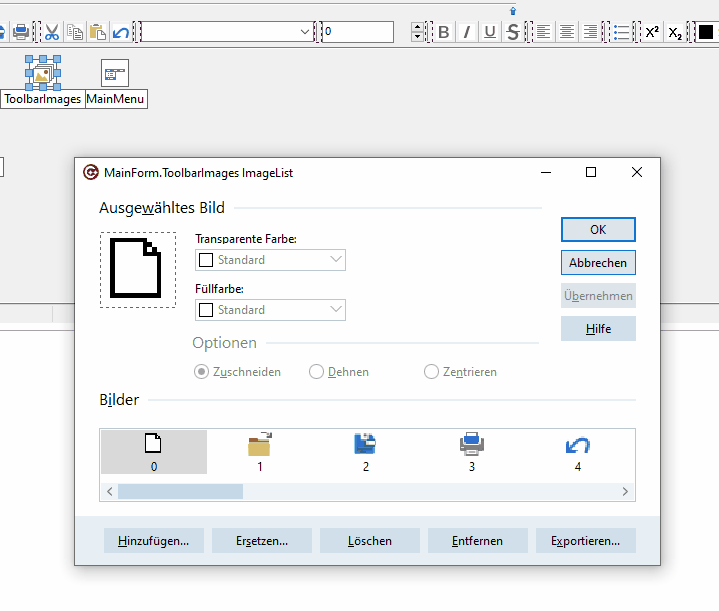
To do this, the Delphi file can first be opened in C#Builder. Double-clicking on the TImagelist icon will then display a dialog that offers the option of saving the individual images.
public static void AssignTImageListBitmap(TImageList imageList, byte[] bytes)
{
if (imageList == null)
throw new ArgumentNullException(nameof(imageList));
// The C# implementation does not decode the DFM image-list data.
// It loads Image0.bmp, Image1.bmp, ... from the executable folder.
// Preserve that documented fallback until a translated VCL exposes
// the protected TCustomImageList.ReadData implementation.
if (bytes == null)
bytes = new byte[0];
imageList.Masked = true;
TBitmap bitmap = new TBitmap();
try
{
string path = ExtractFilePath(Application.ExeName);
int index = 0;
while (true)
{
string fileName = path + "Image" + index.ToString() + ".bmp";
if (!FileExists(fileName))
break;
bitmap.LoadFromFile(fileName);
imageList.AddMasked(bitmap, clFuchsia);
++index;
}
}
finally
{
bitmap.Free();
}
}